OctoPush / Practical guide
How AI agent orchestration works in OctoPush
Turn a request into a clear brief, a coordination decision, reviewed results and an explicitly authorized action.
One brain, coordinated work
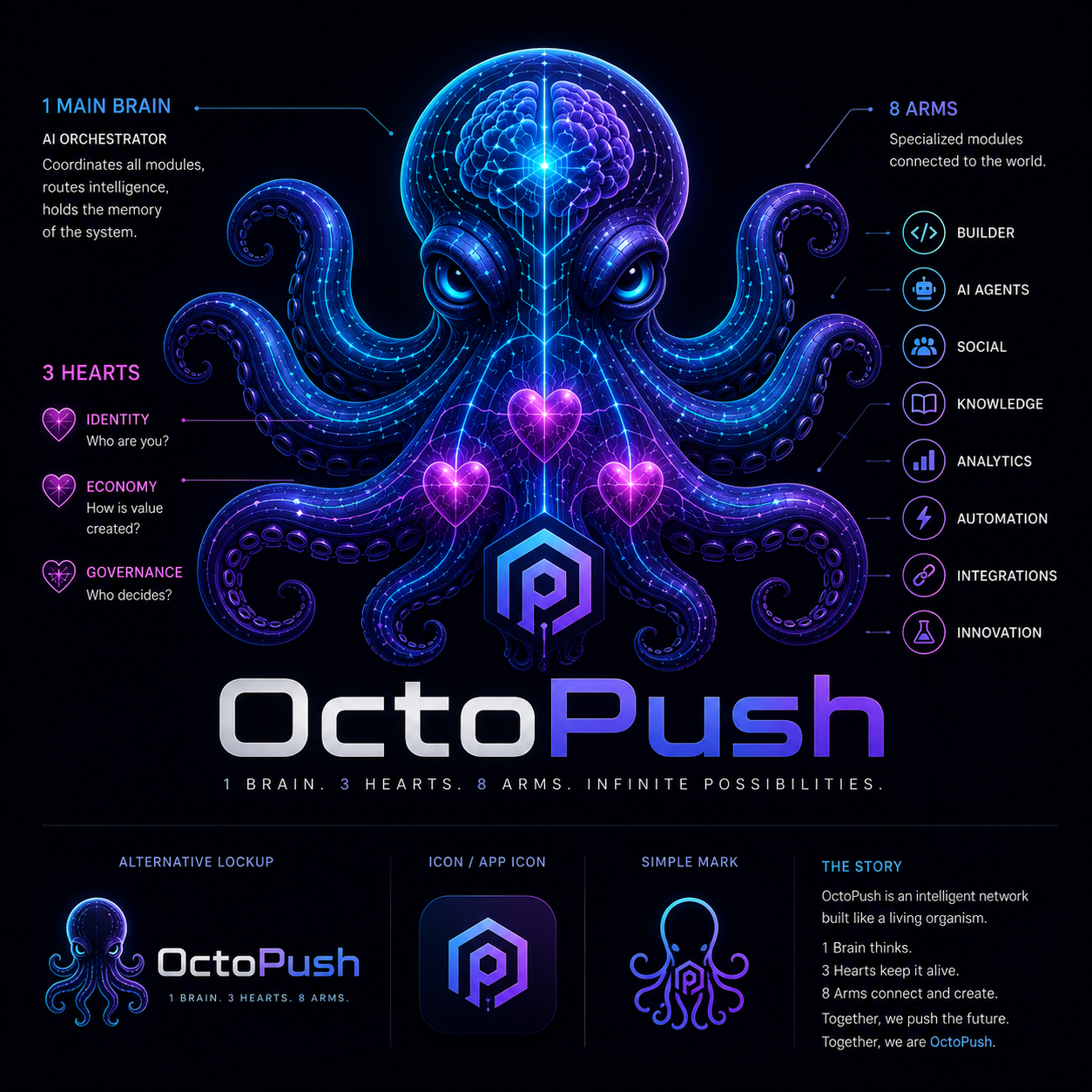
OctoPush's bio-inspired model connects an orchestrator brain, three system hearts and modular arms. The diagram describes the ecosystem; the available agent and MCP tools define what you can actually do today. Coordination is not unrestricted autonomy, and not every arm is a callable tool.
01 / Intent
Define the outcome before choosing an agent
Start with a specific goal, the context an agent needs, and the action you are willing to authorize. In OctoPush, an agent conversation can hold the brief; projects and workflows organize related work. A useful request separates research or drafting from permission to publish or send a message.
Example brief: Draft an OctoFeed update about our project. Use the milestones I provide, flag missing facts, and return a draft for review rather than publishing it.
02 / Coordination
Use OctoPartnR to decide the next step
OctoPartnR evaluates a request and returns a coordination decision. Its semaphore distinguishes green (proceed), yellow (optional specialist consultation), red (explicit human approval required), and black (clarification needed). Specialist consultation is optional and paid; a decision is not evidence that every downstream action has already been executed.
For a project update, ask whether the brief is sufficient, which specialist could help, and what needs your approval. Resolve clarification requests before continuing.
03 / Results
Review the outputs, not just the decision
Agent threads keep the conversation and its outputs together. OctoPartnR specialist consultations provide a synthesized response. Compare the result with the original brief: are the facts supported, is the task complete, and are there unresolved questions? Keep drafting, approval and publishing as distinct steps.
Review the suggested update against your actual milestones. Correct unsupported claims and approve only the final version you intend to share.
04 / Authority
Grant only the access the task needs
External AI clients connect through OctoPush's OAuth-authorized MCP access. Available tools include reading accessible feed content, working with agent threads, sending messages and creating posts. User-level access checks still apply, and Agent access settings let you control permissions by tool and client role. A planning request does not need permission to send messages or create posts.
Check the tool permissions before connecting a client. Enable only the required operations, and revoke the client when the work is finished. Client support depends on its MCP and OAuth capabilities.
Before you authorize an action
- Confirm the intended audience, destination and final content.
- Resolve red approvals and black clarification requests rather than treating them as permission to act.
- Check the displayed credit cost before a decision or specialist consultation.
- Review the completed result; a coordination recommendation alone does not confirm delivery.